Visit the JAMB Admission Checking Portal by Clicking: HERE
Enter Your “JAMB Reg Number” in the space provided;
Click on “Check Admission Status” to know your admission status
Note: If your name appears on the list of 2015/2016 admitted students, you are advised to print your admission letter. (If it has not reflected, check it regularly as it may be validated any time).
Ok, this might seem funny and all but it's definitely true. If you're honest enough with yourself you may even find yourself guilty of one of these very obvious money wasters. (i'm totally guilty of a couple of them, hehehe). 1. Unnecessary Parties It is estimated that Lagosian's spend close to 40 billion naira annually on parties alone . Most analyst have argued that most of these parties are completely unnecessary and most times do not add value to either the host or the guests. 2. Insisting on Designers, Labels, and Brands From groceries to clothing to prescription drugs, you can save money by choosing an off-brand over a fancy label. And in many cases, you won't sacrifice much in quality. Clever advertising and fancy packaging don't make brand-name products better than lesser-known brands. For example, generic drugs can cost as much as 80% less than their brand-name alternatives. 3. Shopping at the wrong store If you are Parti...
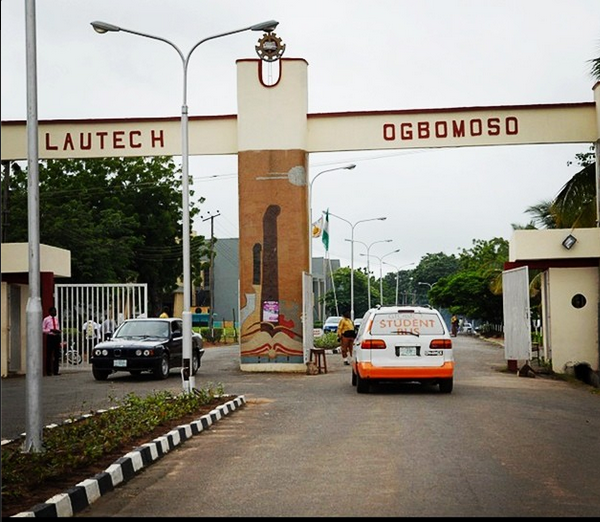
The upcoming post utme comprises of five compulsory subjects which include Mathematics, English, Chemistry, Physics and Biology. These should be the same subjects the candidate must have written in the just concluded Jamb/Utme. Lautech being a school of technology and science requires only science subject for the entrance examination. We'll keep you posted for further necessary information before the examination date. For any further information, do leave a comment or check the 'about me' tab for our contacts and feel free to ask your questions. Good Luck
I f you were asked what you know about the current SUG President, what would you say? It would be quite shameful if as a follower you know nothing about the person leading and representing you. This post strives to provide sufficient information you need to know about the current LAUTECH SUG President, Bakare Solace Oluwasanya Peace, to be able to trust and rely on his leadership. This post originally appeared on Murraygists.wordpress.com : The election that brought in Comrade Bakare Solace was a keenly contested election. Himself along side Comrade Zeal and Comrade Bepo, were the options ladokites had at the poll via e-voting. But the result showed that comrade solace will be saddled with the responsibility of leading ladokites for the 2014/2015 tenure. Comrade Solace, however, happens to be the FIRST student from the Faculty of Basic Medical Sciences (physiology department), to emerge as the number one student of Ladoke Akintola University of Technology, Ogbomoso. He di...



Comments
Post a Comment